Stay close. Stay yourself.
A family app where parents can see where you are, message and call you, and help with screen time, and where everything it does is on your screen. Nothing is hidden, and you can always see what your family can see.
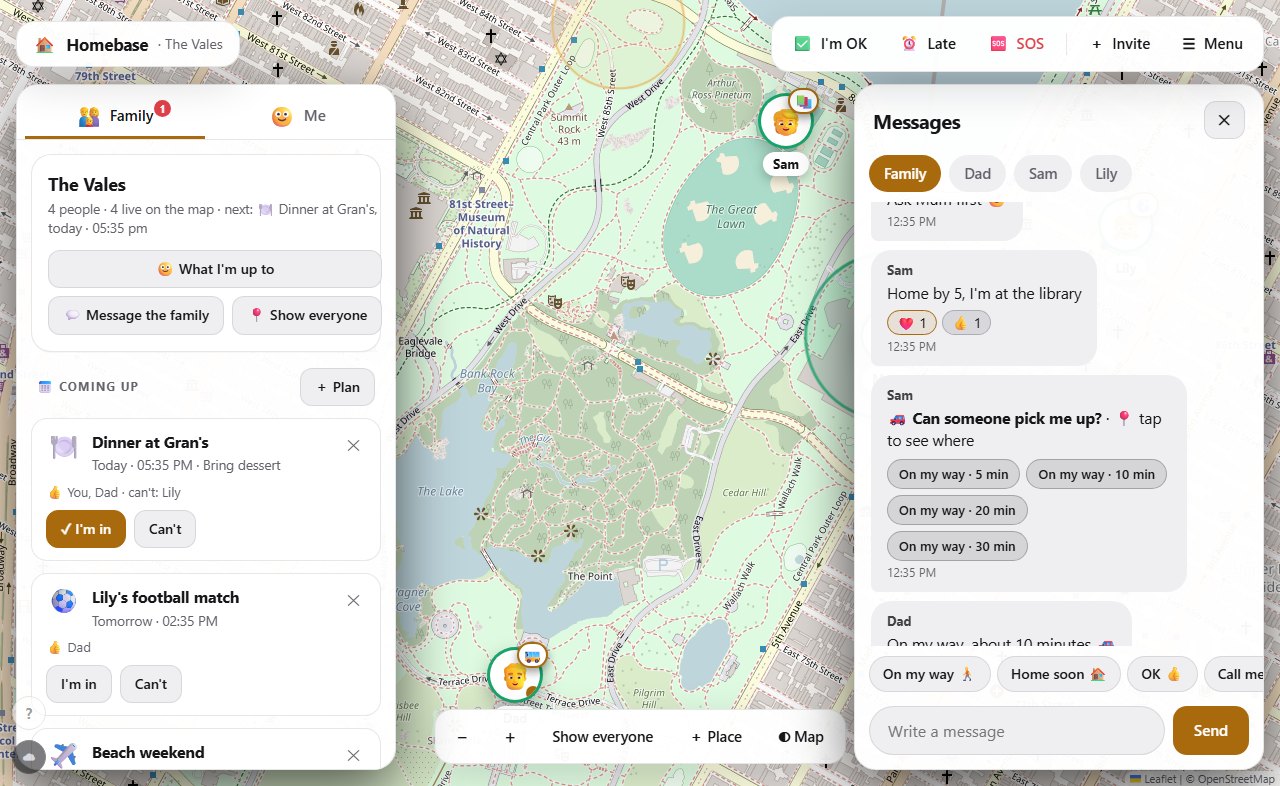
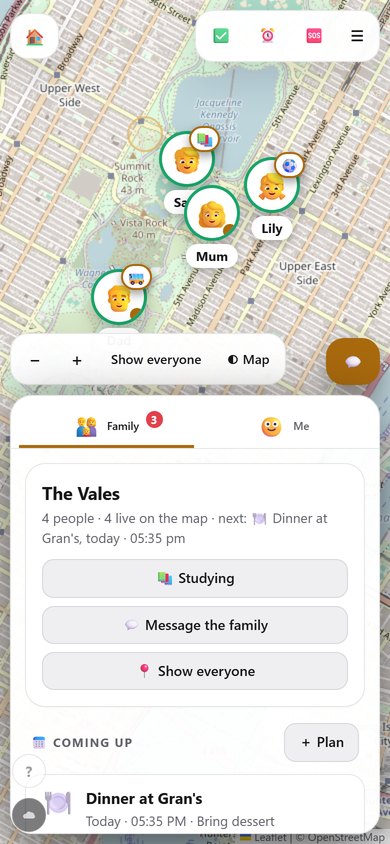
The pictures show a made-up family in a park.
Everyone who is sharing shows up, parents too. If someone goes offline you still see where they last were.
Texts, one-tap quick replies, reactions, check-ins, an SOS, and calls that really ring on phone and computer.
Tell the family in one tap: studying, gaming, on my way. You choose it, only you can change it, and it goes away by itself.
A month at a glance with everyone's plans and birthdays. Tap I'm in or Can't, get a nudge half an hour before, and add the whole calendar to Google, Apple or Outlook.
A parent tells everyone something, like dinner at 6. It sits at the top of the family screen, sends an alert, and goes away by itself.
Add Homebase to your iPhone or iPad Home Screen from Safari. It opens full screen like an app and sends alerts even when it is closed. How to
A new install asks for everything it needs in one go, and keeps reminding you of anything still missing. Windows and the web app do the same.
Everyone picks their own date. The family sees a countdown and hears about it on the day. You can take it away any time.
Ask the family anything, like pizza or tacos. One vote each, live results, and whoever asked can close it.
Counts only time spent playing or watching, never homework, and shows the child exactly what the family sees.
A parent can lock a device or ground certain apps for a while, with a minute's warning. Everyone sees it in the family chat.
Parents set jobs, children tick them off, parents approve them for points. Jobs can repeat every day or week, and days in a row build a 🔥 streak.
Points buy things a parent sets: a film pick, extra game time, an ice cream. A child asks, the points are held, and a parent says yes or not now. A reward can add extra minutes to the day's screen-time limit.
One tap tells the family you need a lift, and where you are if you are sharing. They answer with how many minutes away they are.
The Wi-Fi, the doctor, allergies, who to call: one place everyone can find. Parents write it, everyone reads it.
"Where are you?" is a request you can answer or say not now to.
What is shared, and what never is
What Homebase does
- Shares your location while sharing is on. You can pause any time and your family sees that it is paused.
- Counts minutes spent playing or watching, per app, if you turn screen time on.
- Lets a parent lock a device (never more than 4 hours a day) or ground apps for a while. You can always ask to be unlocked or send an SOS.
- Tells the family whenever a lock, grounding or new device happens, so nothing is a surprise.
What it never does
- Hide itself, or do anything in secret. Every device has an icon and every action is announced.
- Read your messages in other apps, your browsing, your files, or what is on your screen.
- Switch on your microphone or camera by itself.
- Count homework or school apps as screen time.
Location is kept for 7 days, screen time for a month, then both are deleted. You can delete your own data, or leave the family, any time.
Set it up in three minutes
- On a parent's phone or laptop: Create a family, then Invite to get a code for each person.
- On a child's phone: install the Android app, choose Join with a code, read what is shared, and say yes.
- On a Windows computer: open Menu, Screen time, Link a Windows computer, download the tracker, and type the 6-digit code. If two brothers share one laptop, it asks who is using it.
- Allow location, notifications and the microphone, and turn off battery saving for Homebase so it can ring.
Installing from outside the Play Store: when Android asks, allow Install unknown apps for your browser. On Windows, if it says it protected your PC, press More info, then Run anyway.